
Contents
- Set the motion budget before describing the mood
- Match movement to the source framing
- Keep subject movement and camera movement separate
- Read preview problems by movement layer
- A documented crop-and-motion revision in practice
- Decide whether to keep, lower, or replace
- Write a final motion brief that can be reviewed
A still image has a limited motion budget. Once a clip asks for anatomy, background space, or viewpoints that the source never shows, stronger prompting cannot supply reliable visual evidence. The practical decision is therefore not how energetic the video should feel, but how much change the source can support while its important details remain coherent.
For adults researching an AI Adults 18+ video generator, this framing-first method offers a useful way to evaluate an image before generation. It is separate from choosing a template: template matching asks which preset resembles the intended result, while motion planning asks whether the source itself can survive that result.
The subtle, moderate, and high levels below are editorial planning categories, not Playbun interface labels. Use them to define the intended subject action, camera behavior, protected details, and revision threshold.
Set the motion budget before describing the mood
Begin with four decisions:
- Subject action: one observable physical change, such as a blink, weight shift, arm gesture, or torso turn.
- Camera action: a locked frame or one defined movement, such as a push-in, pull-back, pan, tilt, or orbit.
- Protected anchors: details that must remain stable, including facial proportions, hands, hairline, garment edges, floor contact, lighting direction, and background geometry.
- Failure threshold: the first visible problem that will trigger a revision.
Countable actions are easier to evaluate than mood words. “One slow breath followed by a slight glance left” establishes a clearer test than “natural and lively.” A camera instruction such as “gentle push-in, no orbit” is similarly easier to diagnose than “cinematic movement.”
Playbun’s guide to reading a template preview recommends separating what the source photograph already contains from what the motion introduces. It treats camera behavior and motion magnitude as different preview characteristics. Apply that distinction before combining any instructions: write one line for the subject and another for the camera.
Match movement to the source framing
Framing controls both the visual evidence available to the generation process and the defects viewers will notice first.
| Source framing | Sensible starting level | Suitable motion | Details to protect |
|---|---|---|---|
| Close portrait | Subtle | Breathing, blinking, gaze change, small head adjustment | Face, eyes, hairline, jaw, neckline |
| Waist-up or medium | Subtle to moderate | Weight shift, limited arm gesture, shallow torso change | Hands, elbows, shoulders, garment seams |
| Full-body or wide | Restrained by default | Small pose adjustment or low-magnitude camera movement | Feet, joints, floor contact, background perspective |
A wider frame provides more context, but it does not automatically justify more movement. Complete limbs and negative space make carefully bounded action easier to consider; they do not remove the risks created by shifting feet, articulated joints, or changing perspective.
Close framing: let small changes carry the clip
A close portrait makes facial identity, hair edges, and clothing boundaries prominent. Begin with breathing, blinking, a restrained gaze shift, a slight posture release, or a small head movement.
The Playbun template-family guide describes low-motion portrait behavior in similar terms: breathing, blinking, micro-expressions, and a small head turn. That is a practical definition of subtle motion even when the task is not template selection.
Avoid requesting a large profile turn from a tightly cropped face. Such a turn may expose an unseen cheek, ear, section of hair, and neck geometry. Adding an orbit compounds the problem because the subject and camera both demand a new viewpoint.
Medium framing: inspect joints and pose direction
A waist-up source provides room for posture and arm movement, but it also introduces shoulders, elbows, hands, and garment structure. Moderate motion is most defensible when it follows the direction already implied by the pose.
Before approving it, check whether both shoulders can support the intended rotation, whether action-critical hands are fully visible, and whether there is enough space beside the body for the gesture to finish. Playbun’s source-matching guide advises keeping hands fully visible or fully concealed in half-body images instead of cutting through them at the edge.
A partially cropped hand becomes a problem as soon as the requested action needs it. The generation process must then construct fingers while maintaining the wrist, sleeve, and body movement. Reducing the gesture or selecting a better-framed source is usually more useful than adding descriptive adjectives.
Wide framing: start restrained despite the extra space
Playbun’s source guidance recommends low-magnitude camera movement for full-body, wide images and warns that visible limbs can introduce artifacts. Begin there rather than treating a wide source as permission for high intensity.
Check both feet for clear ground contact. A step that conflicts with the original stance can produce sliding or an implausible transfer of weight. Then inspect the surroundings. Shelves, tiles, railings, mirrors, and repeating patterns reveal warped perspective much faster than a plain wall.
Higher subject movement should remain exceptional and tightly bounded: complete limbs, readable joints, clear floor contact, sufficient surrounding space, and a simple background all need to support the same action. Even then, one deliberate step or pose change is easier to assess than a sequence of turns and gestures.
Keep subject movement and camera movement separate
Let one movement layer carry the energy of the shot while the other remains restrained.
A close portrait can pair a small head adjustment with a locked camera or gentle push-in. A medium shot can use a limited weight shift in a steady frame. If a pan or orbit supplies the visual energy, reduce the subject action to breathing or a slight gaze response.
“Turns fully while the camera circles and zooms closer” is an overloaded plan. It asks for hidden anatomy, changing perspective, altered scale, and additional background at the same time. It also makes a failed preview difficult to diagnose: facial instability could originate in the turn, orbit, zoom, or their interaction.
This is a planning distinction rather than a claim that Playbun exposes two independent controls. Where the destination generator provides camera settings, use only the behavior the interface actually supports. Otherwise, keep the distinction in the written brief so the request still has a clear priority.
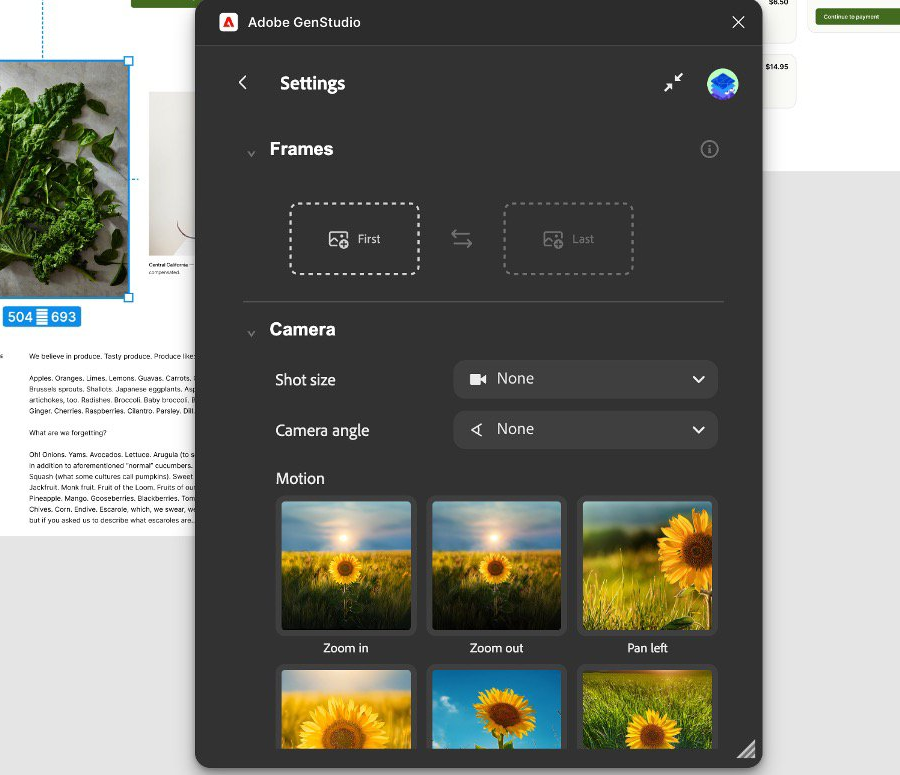
Adobe GenStudio separates frame selection from camera behavior settings, reinforcing the value of planning subject action and camera motion independently.
Read preview problems by movement layer
Review the result against the protected anchors instead of judging only its overall mood.
- Identity drift: facial proportions or recognizable features change during movement.
- Unstable hands: fingers merge, appear, disappear, or change length.
- Edge shimmer: hair, jawlines, straps, or garment seams flicker.
- Sliding contact: feet move without a believable change in balance.
- Background warping: straight lines bend or detailed objects pulse.
- Lighting discontinuity: shadows change direction without a corresponding cause.
- Abrupt scale change: camera distance appears to jump rather than change continuously.
Next, locate the responsible layer. If facial drift begins at the extreme of a turn while the background remains stable, reduce the subject rotation. If the person stays coherent but shelves and doorframes bend during an orbit, restrain the camera. When both fail at once, remove one movement layer before refining either instruction.
A small fluctuation does not always require a new source. First shorten or clarify the action while preserving the original crop. Replacement becomes appropriate when the requested action depends on information that is absent rather than merely ambiguous.
A documented crop-and-motion revision in practice
Adobe’s first-party image-to-video workflow documents a concrete sequence that illustrates why framing must be resolved before motion. An image is uploaded as the first frame. If its composition does not fit the intended video frame, the operator crops and repositions it before selecting camera movement and generating the clip.
The operational constraint is specific: the uploaded still and output frame may not present the subject in the same usable composition. The adjustment is not a more elaborate motion prompt. It is a crop-and-position decision that determines which visual information remains available and how much room surrounds the subject.
After generation, the documented workflow saves the video result and its settings so they can be reviewed together. The outcome is a traceable comparison: the chosen first-frame composition, camera selection, and generated result remain connected. That makes the next decision practical. If the movement is unsuitable, the operator can distinguish a framing problem from a camera-choice problem instead of rewriting every part of the request.
The lesson transfers directly to Playbun planning. Suppose cropping removes a hand required for a gesture or leaves no space in the direction of travel. That crop has lowered the available motion budget. The correct response is to reduce the action, change the composition, or replace the source—not to assume that a stronger motion description will restore missing evidence.
Decide whether to keep, lower, or replace
Use three revision paths.
Keep and clarify when the crop supports the action and the problem is limited to ambiguous direction or competing verbs. Retain the source, name one movement, and specify the anchors that must remain stable.
Lower the motion budget when the source is strong but instability appears only during the largest change. Shorten a torso turn, reduce camera travel, keep the hands still, or lock the frame while the subject moves.
Replace the source when the action depends on a cropped joint, concealed action-critical hand, opposing body direction, missing floor contact, or space beyond the image boundary. Replacement is also more efficient when a detailed background cannot plausibly survive the requested camera viewpoint.
Torso rotation deserves particular caution. Playbun notes that a turn can require geometry from the far side of the body that the source never supplied. If a substantial opposing turn is essential, select an image that already shows more of both shoulders and the relevant limbs. Source evidence is more valuable than another round of increasingly forceful instructions.
Write a final motion brief that can be reviewed
Before opening an adults-only AI video generator, record six lines:
- Source framing: close, medium, or wide.
- Subject action: one observable movement.
- Camera action: one movement or a locked frame.
- Intensity: subtle, moderate, or exceptional high movement.
- Protected anchors: the exact details that must remain stable.
- Fallback: clarify, lower movement, recrop, or replace the source.
A useful brief might read: “Waist-up source; slight shoulder release and glance right; locked camera; subtle intensity; protect facial proportions, visible hand, sleeve edge, and wall trim; lower to gaze-only movement if the wrist or background becomes unstable.”
That wording makes approval criteria visible before generation. It also prevents a common revision mistake: changing the subject, camera, crop, and mood simultaneously, then having no way to identify which adjustment helped.
For Playbun image-to-video planning, the strongest movement is the most ambitious action the still can visibly support—not the largest action that can be described. When identity, anatomy, contact, or spatial coherence begins to depend on unseen information, lower the motion budget or choose a source built for the intended shot.